From the operations archive
A new tracking number looked like a new problem
Delivery cases across Europe and Japan showed a recurring support problem. The export record would go quiet and a destination partner would appear with another number. To operations, that could be a normal handoff. To a customer already waiting, it looked as if the first shipment had disappeared and somebody had created a replacement without explanation.
Sending every code and carrier name at once did not create transparency; it transferred the interpretation work to the customer. Hiding the local number was worse because the recipient might need it for delivery, collection or a destination-carrier enquiry. The message had to preserve continuity while making the next useful action obvious.
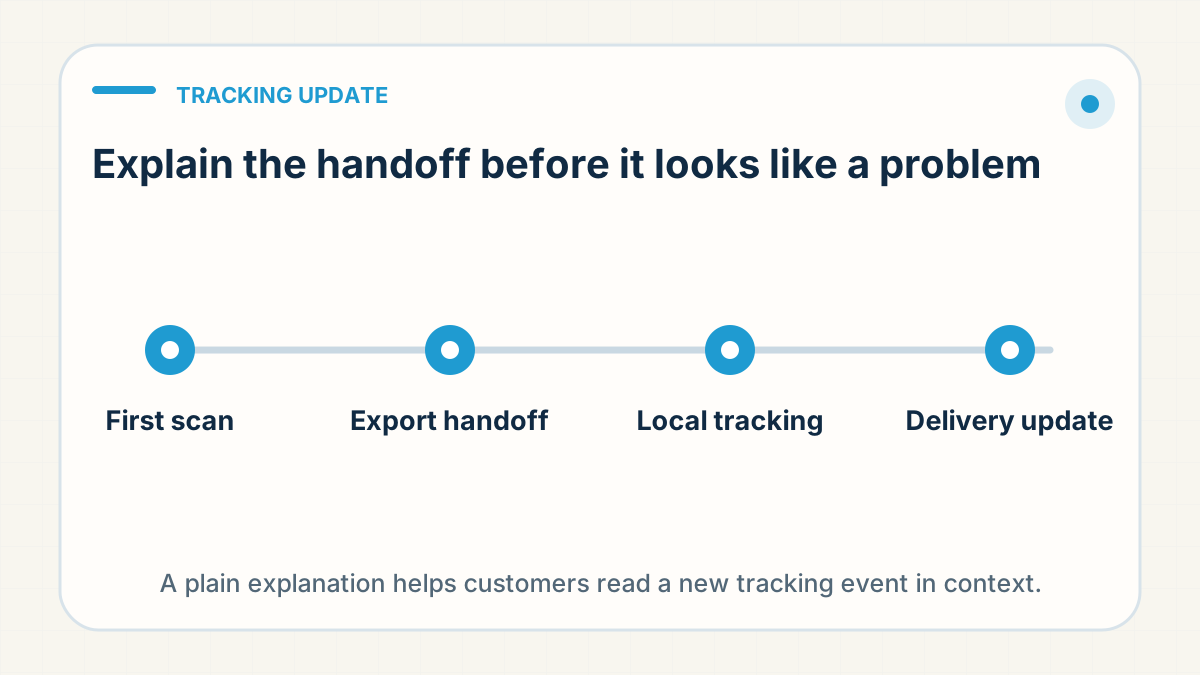
The team explained the chain in one sentence: the original number identifies the cross-border journey, the local number becomes useful after destination handoff, and both refer to the same parcel. They named the last confirmed stage and the next expected scan, then linked the number relevant to that stage. The customer did not need a logistics lecture—only proof that the parcel remained one journey and a clear point for the next review.
About this story: it is an anonymised composite of client situations. It broadens markets and product families and leaves out identifying details. Read the dated field note: A first sale — and a day of untangling stuck deliveries.
Customers need the parcel stage, not a scan-code translation
Cross-border parcels may move through a fulfilment system, origin carrier, airline or line-haul partner, customs process and local delivery carrier. The tracking number or recognised carrier can change during that journey. A useful update explains what is confirmed, what happens next and when the seller will check again.
Name the stages accurately
- Order confirmed: payment and order data received.
- Processing: sourcing, checks or packing are still happening.
- Label created: an electronic shipment record exists; physical carrier acceptance is not yet confirmed.
- Accepted at origin: a physical collection or facility scan exists.
- Cross-border movement: export, transport or destination processing is underway.
- Local handoff: the last-mile carrier has received or is preparing to receive the parcel.
- Out for delivery or delivered: final-mile events that may still require proof or recipient confirmation.
Use one customer-facing source of truth
Shopify lets sellers attach the correct carrier or a full tracking URL when the carrier is not recognised. Customers can then use the order-status page and notifications. Check the link as a customer would: does it open, show the right parcel, and continue working after a handoff?
Do not announce every electronic event
Automated notifications can create noise or false certainty. Shopify notes that tracking-event sources, accuracy and timing vary by carrier. Decide which milestone deserves a message and avoid presenting label creation as physical dispatch.
Write updates with three parts
- Confirmed fact: "The parcel has been accepted by the origin carrier."
- Next event: "The next useful update is destination-country or local-carrier acceptance."
- Review point: "If that event has not appeared by [reasonable stage-specific date], we will investigate."
Avoid "Don't worry, it is on the way" when the evidence only shows a label. Avoid promising a delivery date from one early scan. A range with a named next checkpoint is more credible.
Handle number changes proactively
If a local tracking number becomes available, add it to the order-status page or explain where it can be found. Keep both numbers in the private order record and show the relationship between them. Do not publish a real customer's number in a blog, screenshot or public support example.
Why does my order have a different tracking number now?
Because the reference you were given is not always the one that is now live: sometimes it was replaced, sometimes the wrong one was posted, and sometimes a redelivery reference arrives beside an original that was never replaced. Each of those needs a different message, so establish which happened before you write to the customer.
That is narrower than the section above, Handle number changes proactively, where one parcel keeps moving, picks up a second live reference, and the store field belongs to the last-mile one updated by the destination carrier. Here the reference the customer holds is not the one that will deliver.
- A replacement raised as its own order: a delivered item reported damaged inside the 14-day after-sales window. It can run under its own order and reference, the original may never resolve, and nothing on either order links them.
- A new reference after a channel restriction: a parcel sent back with nothing reported wrong in it, then put out again under a genuinely new reference. Here the number the customer holds is dead, and a new one is honest to promise.
- A posting error: the same reference attached to two different orders, or a resend announcement quoting the superseded number on one line of a batch. The first leaves the reference live against the wrong order; the second leaves a dead number against the right one. Check the reference against the order before it reaches a customer-facing field.
A return in the destination network behaves differently. An address the network could not use sends the parcel back to the overseas hub, and the redelivery is normally re-attempted on the original consignment, as what happens after a failed delivery already sets out. Where a redelivery reference does exist it arrives paired with the original — order number, waybill, original and redelivery reference in one row — so never promise a number that may never be issued.
None of this arrives tidily. Ask your partner for the order number and the reference in one row, and for the original beside the new one wherever a redelivery or replacement is arranged.
What you need before the next customer message is narrow: which reference is live now, and whether the resend was raised under this order number or a new one. Where your partner pushes tracking into your store automatically, ask which reference it sends and when it re-fires after a reissue; where you update the field yourself, the pairing goes into your own record before the customer-facing one.
Prepare exception templates
Create separate messages for normal cross-border silence, customs review, failed delivery, incomplete address, delivered-but-not-found and confirmed loss. Each situation needs different evidence and a different next action; one generic "delayed" template cannot carry them all.
Explain the physical stage, not the carrier jargon
Tracking communication works when the operational event and customer message mean the same thing. Explain the stage, the next milestone and the next review—not every opaque code.
The rule: Present the original and local tracking numbers as two references for one parcel. Tell the customer which stage is confirmed, which number is useful now and when you will review the next expected scan; do not send two unexplained links and call that transparency.
Waiting for a parcel you bought? Contact the store you ordered from: it holds your order details.
Need one order or route checked?
Worried about an order's tracking? Send us the order number on WhatsApp (wa.link/dropship) and we'll check what's going on.
Check Order on WhatsApp →